When someone in your area searches "food trucks near me" or "tacos [insert your city]" or "best lunch trucks [insert neighborhood]," Googles algorithm decides whose name appears. The decision is heavily influenced by your Google Business Profile. If you know what that is and how to use it well, then go watch a YouTube video, or something... For everyone else, keep reading. This is important.
What is Google Business Profile?
Google Business Profile (formerly known as Google My Business) is your business listing on Google that allows you to manage how your business appears on Google Maps and Search. It contains key information about your business, such as your location, contact details, and hours of operation. Making it a major reference tool for Google to share with local inquiries.
GBP is a free tool that most food truck operators have either set up incompletely or haven't touched since they first created the account. A well-maintained GBP is one of the highest-return, zero-cost marketing investments a food truck can make. Here's how to set it up correctly, what features operators might miss, and how to build a review strategy to grow your business and searchability.
Getting the Fundamentals Right
A surprising number of food truck GBPs are partially completed — enough to appear in some searches, but not enough to compete for top placement. Here's what to hit:
- Business name: your actual operating name. But don’t keyword stuff the business name field as Google will penalize it. Besides it will just look bad to real humans when they read something like: Mikes Raleigh Award Winning Eats East of Durham Best Empanadas South American Food In the RDU of North Carolina
- Category: select "Food Truck" as your primary category. Add secondary categories that reflect your specific cuisine (e.g., "Mexican Restaurant," "Sandwich Shop").
- Service area: because you move, set a service area rather than a fixed address. Include every city, neighborhood, and county you regularly serve.
- Hours: keep these current and accurate. Inaccurate hours can generate negative reviews.
- Phone and website: a number that's actively monitored during service hours, and a link to wherever your current menu and location information lives.

The Features Operators Must Fill-In
- Menu upload: upload a current and accurate menu with pricing. Google will show menu information directly in search results. This practice significantly increases click-through rates from people who are comparison-shopping.
- Products: the products feature lets you showcase signature dishes with photos and prices in your knowledge panel. This is premium real estate that most food truck GBPs leave blank and it tells your prospective customer a lot about what they’ll get. And a customer who knows what to expect is likely choosing you because that’s what they want and so long as you deliver, they are primed to leave a top review.
- Q&A: seed this section yourself with answers to your most commonly fielded questions. For example: Do you take card? Do you have vegan options? Answering these proactively reduces friction for potential customers.
- Posts: publish a short update whenever you have something to share. Location change, a featured item, and so on. Posts with photos and a clear action perform best and keep your profile looking active and alive.
Photo Strategy Musts For Google Business Profile
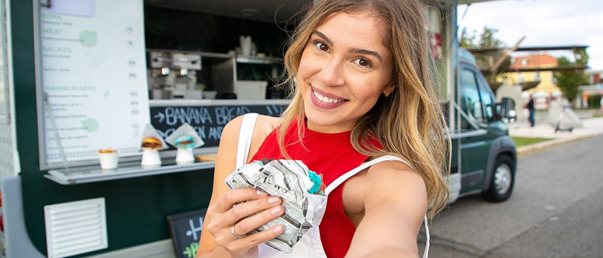
Time for the cliche, photos are better than words. They send strong signals, add more indexing for search, and share your story. In addition, photos are the first thing most users look at when evaluating a truck. Here's your minimum viable photo strategy:
Cover photo: your truck exterior, cleanly shot in good natural light. If you can include a crowd to build that FOMO feeling, even better.
Five to ten food photos: close-up, well-lit shots of your most visually compelling dishes.
Two to three operation photos: the truck in service, the service window, team energy, and the cleanest interior shot. After all people want to know they aren’t going to get Moctezuma’s Revenge from your truck.
How to Build Food Truck Reviews
Reviews directly influence both your ranking and your conversion rate with new customers. The difference between a 4.2-star profile and a 4.7-star profile with 3x the review count dramatically affects how prospective customers evaluate you.
Here's how to generate reviews systematically
- Ask satisfied customers directly after they've tasted the food: "If you enjoyed it, we'd really appreciate a Google review, it only takes about 30 seconds." Most people who had a genuinely good experience will say yes.
- A QR code at the service window linking directly to your review page removes the friction of searching for you
- Include a review request on printed receipts or bags when that's part of your operation
- Incentivize with a coupon or some other giveaway
Responding to reviews: A Word of Warning
- Respond to every positive review by genuinely, mentioning the specific dish or location the reviewer referenced and your gratitude.
- Respond to every negative review calmly, professionally, with a resolution offer
- Never argue publicly with a negative review.
- And for that one-star rating where the reviewer clearly hated your guts for no reason? That’s your greatest marketing tool. These are usually hilarious and can be put on merchandise, bags, and signage. Use it to your advantage.
In the end a Google Business Profile with many reviews averaging 4.5 or above, regularly updated photos, current hours, and an uploaded menu will consistently outrank competitors with fewer reviews and less active profiles. AI will recommend it, SEO will serve it up. And now your truck is making moves in the real world and on the digital streets.
Speaking of digital streets... if you haven't joined the free MOBLZ food truck network, you should. MOBLZ is a North Carolina mobile vendor platform that connects food trucks to business parks in need of lunch rotations. The properties pay to have you. You keep all the profits. Start showing up and serving up.